
Access Control System Guide for Melbourne Homes

A swipe that should open the warehouse door doesn't. The office staff member stands there on a Saturday afternoon in Dandenong, the reader flashes denial, and the whole point of access control becomes obvious in one moment. The system hasn't just stopped the wrong entry, it's also told the client who tried, when they tried, and why the next conversation needs to be training rather than guesswork.
Table of Contents
What an Access Control System Actually Does

On a busy Saturday, a warehouse door in Melbourne can teach a lot. A worker taps a card, the reader checks it, the controller compares the permission, and the lock stays shut because that person isn't cleared for that zone yet. That's the whole point of an access control system, it decides who can pass, which door they can use, and when.
A mechanical lock can only answer one question, whether the key fits. A modern system answers several at once, whether the credential is valid, whether that user is allowed into that area, and whether the attempt should be recorded for later review. That record matters because access control isn't only about stopping people getting in, it's also about knowing who tried, when they tried, and whether they succeeded.
The system is usually made up of readers, controllers, locks, and management software. The reader captures the credential, the controller makes the decision, the lock reacts, and the software stores the event history so the site owner isn't guessing after the fact. For a property manager or a small business owner, that difference is practical, not abstract, because one lost key can leave no trace, while one denied card swipe can tell the full story.
In Melbourne homes, the same logic helps with front doors, garages, and side entries where delivery people, cleaners, or trades need controlled access. For business sites, the value rises fast because staff turnover, contractor visits, and after-hours entry all create more chances for human error. A simple way to frame it is this, a lock is about physical fit, but access control is about permission, timing, and accountability.
For a plain-language overview of monitoring and remote visibility, see PeakFriend's monitoring page.
Practical rule: if a door needs to tell the owner more than just “open” or “closed”, it's usually time for access control rather than another key.
For Melbourne sites, that shift didn't happen overnight. Electronic access control started in the 1960s with punch-card readers, magnetic-stripe cards spread in the 1980s, proximity cards became the major breakthrough in the 1990s, and biometric systems emerged in the early 2000s, so the modern stack is the result of long development rather than a recent gadget wave. That history helps explain why today's systems are built for faster verification, less wear on hardware, and better auditability at the entry point.
Main Types of Access Control Systems
The first decision is credential type, because that shapes daily use more than the glossy brochure does. Melbourne buyers are usually offered four familiar options, keycards and fobs, smart locks, biometric readers, and intercom or video entry. Each one solves a different problem, and each one comes with a trade-off that shows up quickly once people start using the door every day.
Keycards and fobs
Keycards and fobs are the classic commercial choice. A staff member taps or swipes, the reader checks the credential, and the door opens if the permission matches the zone and time window. They suit apartment entries, office suites, and warehouses where lots of users need simple access without handing out physical keys.
The trade-off is administrative, not technical. Cards can be reassigned quickly, which is great for turnover, but lost cards still need management, and shared cards defeat the point of individual accountability. In a busy Brunswick café or a small office, they're often a cleaner choice than a pile of copied keys.
Smart locks
Smart locks fit homes and smaller premises where the front door is the main entry point. They're useful when the owner wants app-based control, temporary access for trades, or the ability to lock and unlock without carrying a key. A Malvern townhouse, a small studio, or a single-front-door retail fit-out can all suit this model.
Their weak point is dependency on stable connectivity and good setup. If the Wi-Fi drops, the battery gets ignored, or the app configuration is sloppy, the convenience drops with it. That doesn't make them bad, but it does mean they need more care than a basic deadbolt.
Biometric readers
Biometrics use a fingerprint, face scan, or similar trait to verify identity. They're useful where credential sharing is a concern, or where a site wants tighter control over who can open sensitive areas. Hospitals, plant rooms, and staff-only storage zones are common fits because the right person matters more than the right card.
The trade-off is environment and maintenance. Dust, grime, worn fingers, or poor placement can make a reader less forgiving than a tap card, which is why the installation location matters as much as the device itself. In a warehouse, that sensitivity can be a deal-breaker for an external door, but it can work well for a cleaner internal zone.
Intercom and video entry
Intercom and video entry suit properties where the main need is to verify a visitor before letting them in. A resident or receptionist speaks to the caller, checks the camera feed, and grants entry only if the visit makes sense. That's a strong fit for apartment foyers, office lobbies, and front gates where deliveries or visitors are common.
The limit is that it still depends on a human decision at the point of entry. It helps with screening, but it doesn't replace proper zoning or permissions once the person is inside. For a small café in Brunswick, that may be enough. For a Dandenong warehouse, it usually isn't.
A useful comparison for small teams is whether the door needs identity, convenience, or verification from a distance. If the answer is mostly identity, keycards or biometrics are usually the sharper fit. If the answer is convenience, smart locks win. If the answer is visitor screening, intercoms and video entry make the most sense.
For a residential-style control example, the same thinking applies to the Toorak access control article, where front-door convenience and controlled guest entry matter more than multi-door complexity.
A system can also be paired with other identity rules. The wider access-control world has been shaped by role-based access control, formalised in 1992 by David Ferraiolo and Rick Kuhn, then combined into the RBAC model widely used today. That matters because it's the logic behind letting one person in, denying another, and changing those rights as roles change.
Later in the article, the Melbourne use cases make that logic concrete. For now, the simplest way to choose is to match the credential to the property's daily rhythm, not to the fanciest feature on the product sheet.
How Access Control Connects With Alarms and CCTV
Standalone access control is useful, but it only tells part of the story. A denied swipe on its own tells the owner someone hit the door, yet it doesn't automatically say what camera saw, whether the alarm was armed, or whether the same person tried another entry after hours. Once access events are linked to alarms and CCTV, the site stops being three separate systems and starts behaving like one security picture.
Capability | Standalone Access Control | Integrated Access | Alarm and CCTV |
|---|---|---|---|
Door event logging | Records entry attempts at the door | Records entry attempts and ties them to other events | Adds context through video and alarm state |
Response to denied access | Local denial only | Denial can trigger alerts or bookmarks | Can create a camera bookmark or monitoring alert |
Remote management | Often limited to door permissions | App-based control and remote unlock become part of the workflow | Monitoring teams can act on richer context |
Investigation after an incident | Basic audit trail | Easier to see who tried, where, and when | Video and alarm history support faster review |
The practical win is context. A camera on its own can show movement, but not whether the person was authorised. An access log on its own can show a denied attempt, but not what happened in the corridor or at the gate. Combined, the systems let an operator see a late entry, pull the matching clip, and decide whether it was a visitor mistake, a contractor issue, or a real security event.
That matters more on sites with stock, after-hours traffic, or higher duty-of-care pressure. Warehouses, hospitals, and multi-tenant buildings get far more value from integration than a single front door does, because the event list is longer and the consequences are wider. Australian access-control guidance also shows a move toward distributed-intelligence, TCP/IP-based architectures, where the controller can keep operating in standalone mode if the network fails and resynchronise later, which reduces the risk of a single-point failure.
A technical spec from Australian government procurement also sets a useful benchmark. One controller can manage up to 4 card readers / 4 door locks, control panels must support more than 1 million card records and more than 1 million transaction records, expandable to 10 million cards and 5 million transactions, with support for biometric, PIN, proximity, and smart-card technologies. That shows how the architecture is meant to scale, not just open one door.
Integration is also where app control starts to matter. When a manager can open access remotely, review logs, and coordinate with video in the same workflow, the system becomes more than a hardware purchase. For a deeper look at how camera choice affects that stack, see PeakFriend's home security camera guide.
A good integrated system doesn't just record a denial. It gives enough context to decide whether the problem is a stranger, a staff issue, or a process gap.
The catch is maintenance. The Australian procurement guidance on automatic access control treats commissioning, handover, operation, and ongoing maintenance as core parts of the job, because the system only stays useful if the logs, firmware, and failover behaviour keep working when the site is under pressure. That's why installation quality and lifecycle support matter as much as the initial hardware list.
Choosing the Right System for Homes and Small Businesses
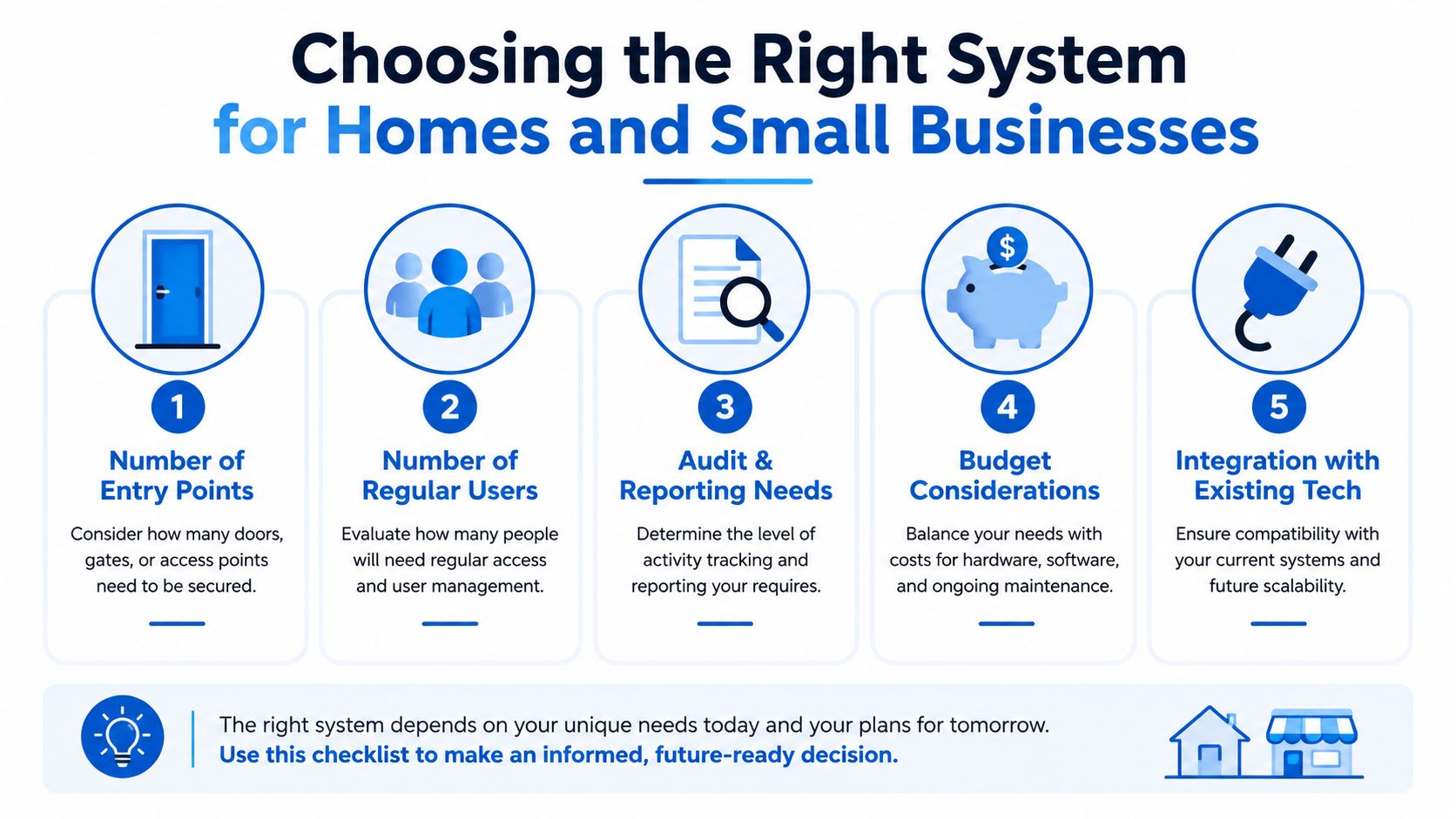
The wrong way to buy access control is to start with brand names. The better way is to score the property against a few plain questions, then let the site shape the system. A one-door home and a four-zone warehouse live in different worlds, so they shouldn't end up with the same answer.
Number of entry points
If there's only one controlled door, a smart lock or video entry may be enough. If the site has front, side, and staff-only access, keycards or a controller-based setup usually make more sense because one user profile can work across multiple doors. More doors usually means more value from central management.
Number of regular users
A home with two adults and one spare key behaves differently from a warehouse with rotating staff and contractors. The more users there are, the more annoying physical keys become, and the more useful role-based permissions get. A small user pool often stays simple, but once people move in and out often, a managed system starts paying back in less admin.
Audit and reporting needs
If the owner only needs to know whether the door was locked, reporting is a minor concern. If they need to know who entered, when they entered, and whether a denied attempt happened, then a system that logs events properly is the right move. That's where card-based or integrated systems usually outclass basic standalone hardware.
Mobile or remote access
If a site needs to grant access while off-site, a phone-based workflow is a strong sign that app control matters. That suits landlords, property managers, and business owners who deal with trades, cleaners, or late deliveries. If nobody ever needs remote entry, that feature may be nice to have, but it shouldn't drive the whole purchase.
Budget and system size
If the budget only stretches to a single front door, keep the system simple. If the site needs alarms, cameras, and access control to work together, it's usually better to plan the stack as one project rather than bolt it together later. The better question isn't “What's the cheapest device?”, it's “What level of control does this property need?”
A quick scoring rule helps. If the site has one entry, few users, no reporting need, and no remote access requirement, a simple solution is often enough. If it has multiple doors, staff turnover, audit needs, or integration goals, then the system should be designed as a managed security layer rather than a standalone gadget.
Melbourne Examples in Warehouses Hospitals and Offices
The Dandenong job said more than a product brochure ever could. Office staff were allowed through the office side, but not into the warehouse zone until they had the right training, and when one staff member tried the wrong door, the system denied entry and notified the client. That sequence did two jobs at once, it stopped the mismatch at the door and it gave the manager a clean record of who tried to enter and when.
That's where role-based permissions earn their keep. Instead of handing the whole site one shared key, the installer maps zones, schedules, and user groups so warehouse staff, office staff, and contractors don't all live under the same access rule. In practice, that means shift workers can come and go on different days, temporary access can be time-bound, and training can be tied to the specific areas people are allowed to use.
Hospitals and government buildings follow the same logic, just with higher pressure. They're frequent access-control buyers because public access has to be separated from staff-only areas, and the Australian Bureau of Statistics reported 5,850 victims of robbery in hospitals, education, and public administration businesses in the 2022-23 financial year, with 69% of those robberies occurring without a weapon, which helps explain why controlled entry matters in those environments. Even without treating access control as a cure-all, restricting entry reduces exposure to the kind of opportunistic harm that comes from people being in the wrong place.
Operational reality: shift patterns change, contractors come and go, and schedules need to be edited rather than carved in stone.
That's why warehouse staff, hospital staff, and office tenants are rarely set-and-forget users. Different shifts on different days mean the zones and schedules have to be maintained as the site changes, not only when the system is first commissioned. The best setups are the ones where the admin can adjust permissions without rewriting the whole structure each time a roster changes.
Victoria Police's crime prevention guidance lines up with that approach by recommending separation between public and staff-only areas and by describing access control as a mix of locks, coded locks, swipe cards, biometric readers, and intercoms. In a practical Melbourne context, that's exactly why warehouses, hospitals, and high-priority buildings ask for it first. The issue isn't just entry, it's controlled entry tied to training, role, and responsibility.
The broader shift in the market is also visible in the way modern access control gets judged. ASIS research points toward outcomes such as uptime, user experience, and integration, not just whether the door opens. That matters because a system that's awkward to administer will get bypassed, while one that's easy to manage becomes part of daily operations.
For another local example of how access control is positioned in a premium residential setting, the Toorak access control article shows how the same technology changes shape when the goal is household convenience rather than site-wide zoning. The core idea stays the same, though, control the right people, at the right time, in the right place.
When Access Control Is Not Worth the Cost
A one-door home with two residents doesn't always need electronic access control. A solid mechanical lock and a video doorbell can be simpler, cheaper, and less fussy when nobody needs access changes, audit logs, or remote permissions. For that sort of site, adding a basic electronic system can solve a problem the house doesn't have.
The value changes when the property starts creating access decisions. Temporary contractors, tenants, cleaners, trades, after-hours deliveries, or staff turnover all push the owner into a space where physical keys become clumsy. Once people need different rights on different days, the cost of administration starts to matter more than the device on the wall.
Signs the system is earning its keep
Access changes happen often. If the owner is constantly handing out, collecting, or replacing keys, a managed system is usually easier.
Different people need different areas. When public, staff-only, and restricted zones exist, permissions become more useful than one shared lock.
Entry needs to be logged. If the owner wants to know who tried a door, a basic lock won't help.
Remote management is useful. If access has to be granted from a phone, app-based control becomes a real convenience.
Other systems need to work together. If alarms or CCTV should respond to door events, standalone hardware starts to look thin.
There's also a lifecycle cost question that many buyers skip. Firmware updates, service intervals, battery checks, and outage behaviour all matter because a system that can't handle a power cut or network issue cleanly becomes a liability. That's why procurement guidance treats commissioning and maintenance as part of the project, not an afterthought.
The contrarian view is simple. For tiny sites with stable access and no audit requirement, more technology can mean more admin without enough payoff. For sites with recurring access changes, reporting needs, or remote management, the value rises quickly because the system is reducing friction as well as improving control.
A Simple Decision Checklist Before You Call an Installer
Before a Melbourne owner books a site visit, four questions usually tell the truth fast. How many doors need securing, who needs access and how often, does the site need schedules or zones, and does the system have to work with existing alarms or CCTV? If mobile control matters, that belongs on the list too, because app-based management changes how the whole site gets used.
The next questions are the ones people forget until after the install. What happens if power drops out, what happens if the internet goes down, and how are firmware updates handled without creating downtime? Those answers separate a neat-looking system from one that stays reliable through real-world interruptions.
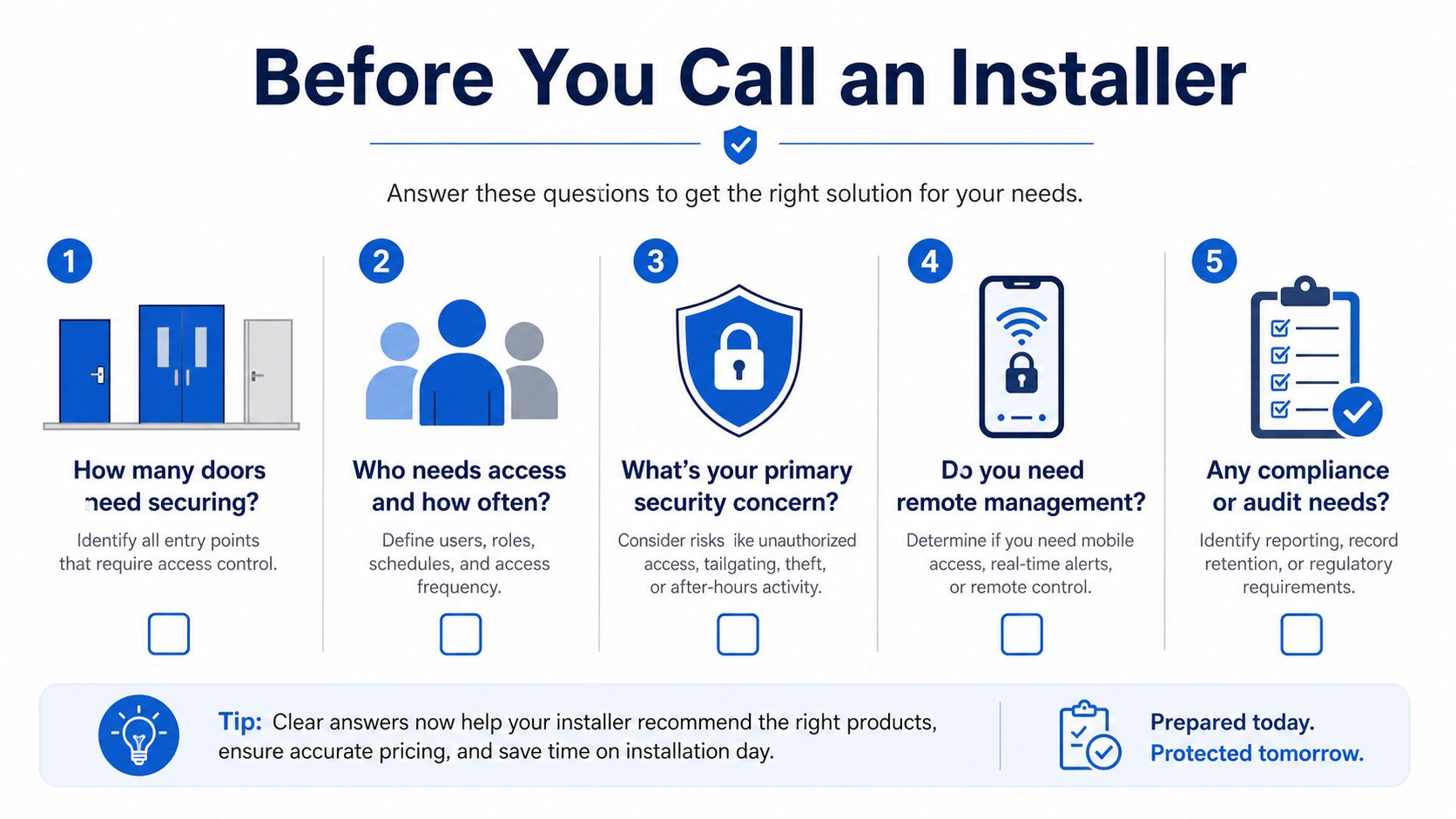
A good installer should be able to talk through doors, users, zones, integration, and maintenance in plain language. If those answers stay vague, the site probably isn't ready for a complex setup yet. If they're clear, the property is ready for a system that fits the way people move through it.
PeakFriend Security designs and installs integrated alarm, CCTV, and access control solutions for Melbourne homes and small businesses, with app-based control and ongoing support built into the service. If that sounds like the right fit for a warehouse, retail fit-out, or family home that needs better control at the door, visit PeakFriend Security to book a property-specific assessment and get the conversation started.
Drafted with Outrank