
Paradox Alarm System Guide for Australian Homes

It's Friday evening in Melbourne. The alarm is set, the family's heading out, and just before turning the key, someone wonders whether the back door latched. A Paradox alarm can detect an opening or movement, but it can't make a lock secure or decide who'll respond to an alert. A useful system connects the panel to the property's entry points, the household's arming habits, the app accounts and a clear response plan.
Table of Contents
What a Paradox Alarm System Is and Who It Suits

A Paradox alarm system is an electronic intrusion alarm built around a control panel. Depending on the property and equipment selected, it can connect wireless motion sensors, door and window contacts, a keypad, sirens, communications equipment and a mobile app. Sensors report activity to the panel, which applies the programmed rules and triggers the relevant warning or notification.
The panel on its own decides nothing about your security. It sits in a chain that starts at the door hardware and ends with whoever answers the alert at 2am. When I assess one of these systems, I look at the whole chain: which entry points get sensors, who arms the system and when, whose phones carry the app, and what happens when a zone trips.
Paradox belongs to Australia's established electronic-intrusion market rather than the newer smart-home category. Its systems have been manufactured and supplied globally for more than 25 years, and local installers have worked with the brand long enough that parts, programming knowledge and support are easy to find (Australian Paradox industry material).
Australian-market requirements differ from overseas documentation, so a product sheet alone isn't enough to specify a system here. At handover, the installer should confirm the panel's firmware and programming defaults suit the local install, that zones and entry delays match how the household moves through the building in practice, and that any monitoring or app connection has been tested on site.
Australian product ranges have included the SPECTRA, EVO and MAGELLAN families, along with sensors and communications equipment. BGW Technologies now distributes the full Paradox range in Australia, with stock, technical support, training and branches in Perth, Adelaide, Melbourne, Sydney and Brisbane. For a Melbourne owner, that local channel matters when a system needs parts, programming help or service.
A Paradox system suits a homeowner, small shop or property manager who wants an installer to specify and support the panel locally. The practical test is whether the design fits the building and the people who'll use it, not the badge on the box.
The Parts of a Paradox System and What Each Does
A Paradox panel is one link in the chain. The rest of the chain is the entry points being sensed, the way people arm and disarm, who holds app access, and who answers when the alarm trips. A clean install still fails if a back door contact sits on the wrong leaf, a shared code hides who entered, or the communicator has no confirmed path out.

The table works as a handover checklist. Each row should be positioned for the building, then proven with a test that shows the panel saw the event and passed it on.
Component | Job in the system | Where it normally goes | Check at handover |
|---|---|---|---|
Control panel | Holds zones, user codes and programming; runs arm and disarm logic | Dry, concealed spot near power, clear of routers and switch-mode power supplies | AC and battery status reported correctly |
Keypad | Arms, disarms and shows zone status | Near the main entry, inside the door | Entry and exit delays suit the real walking route |
Wireless PIR motion sensor | Detects movement in protected rooms | Corner covering the main walking path, away from heaters and direct sun | Walk test passed in every protected area |
Door and window contact | Detects opening of doors and windows | Frame and moving leaf on each opening that needs coverage | Open and closed state changes correctly in the app |
Wireless siren | Audible warning and deterrent | High and visible from outside, where it can be heard | Sounds on test and reports a fault if disconnected |
Communicator | Sends alarm and fault events to monitoring or the app | Secured location with a confirmed signal path | Test signal received where it is supposed to arrive |
Device variant matters. For sirens and other certified items, match the part number on the box to the product documentation and the job specification; a similar model is not automatically the approved one. I check that before the first hole is drilled, because swapping hardware after cabling and commissioning wastes time.
At handover, walk-test each zone, open a door and watch its state change, then trigger a test signal if monitoring is connected. Ask who receives the alert after that signal leaves the panel. If any row cannot be demonstrated, it is not finished.
The embedded demo shows the same parts in use.
Key Features and How They Behave Day to Day
A Carlton terrace may have a dog moving around inside, someone returning late, and a back door that rarely gets used. The arming mode needs to suit the occupants, not just the floor plan. Stay mode generally protects perimeter contacts while people remain inside; away mode can also arm interior motion sensors when the property is empty.
Entry and exit delays give occupants time to leave after arming or disarm after coming through an entry door. They should be timed by walking the actual route from the keypad to the exit, and back again. A delay that's too short causes rushed departures or nuisance alarms; one that's longer than needed leaves more time before the system is fully armed.
Users, bypasses and supervision
Set up a separate user code for each person rather than sharing one household code. If a tenant, contractor or staff member no longer needs access, their permission can be removed without changing everyone else's code.
Zone bypass can be useful when a pet door or faulty sensor would otherwise prevent arming. But a bypass leaves that zone out of protection. Record why it was applied, tell the relevant users, and make sure it's reversed once the issue is resolved.
Supervision helps the panel flag a device that stops reporting, whether the cause is a battery issue or loss of communication. That warning only helps if someone sees it and arranges a repair, so the household should know which notifications mean the system needs attention.
App controls and a simple test routine
The app may support push notifications, remote arming and an event history showing who armed or disarmed the system. Those functions are useful for visibility, but they don't replace a tested keypad routine or an agreed response when an alert arrives.
A feature you have never tested is a feature you do not have.
Use the first week after installation to establish confidence: walk-test one zone each day, send a push-notification test, time the exit route and review the event log. If a dog triggers a motion sensor or a late return causes confusion, adjust the design or household instructions before treating the system as ready.
Wireless Bands and Signal Range in Australia
On site, the first radio question is which exact variant is going in this building, on which Australian-approved band, and what the installer will prove after mounting. A sensor that looks acceptable on a datasheet can be marginal behind foil insulation, and a panel placed near the meter box can leave the rear door at the edge of coverage.
Band and transmit power depend on the regional product variant, the device type and local rules. Confirm them from the installer's documentation for each detector, contact, keypad and siren. Do not copy a figure from an overseas manual or assume one product page covers the whole range.
Check | What to ask | Pass mark |
|---|---|---|
Variant | Is this exact SKU approved for Australia? | Model number and supplied paperwork match the installed device |
Path | What sits between device and panel? | Foil, concrete, metal and distance are accounted for |
Proof | How is signal verified after mounting? | Each zone is tested in final positions, then checked again with doors closed |
Obstacles matter more than a headline range
Reinforced concrete, metal cabinetry, foil-backed insulation and long paths between storeys can weaken a signal. Higher output does not remove those losses. A brick veneer Melbourne home with foil insulation and a meter box at one end may need a shorter sensor-to-panel path than an open-plan timber-frame home.
Placement is decided in the building, not from a band name. Mount devices where they will stay, put the panel in its intended position, then test the route each signal has to take.
Radio is one link in the chain: entry-point choice decides what must transmit, arming habits decide when it must work, the app account decides who sees a fault, and the named response decides who acts. Before installation, ask which band each device uses, whether each unit is the Australian-approved variant, and how the signal will be checked after mounting. If the answer is a generic range claim, keep asking.
Matching the System to Your Property and Entry Points
In 2025, Victoria recorded 42,692 burglary victims; 62% of incidents occurred at residential locations, and 56% involved property being taken (ABS recorded crime data). An alarm can detect an opening or movement, but it can't compensate for a door left unsecured or inconsistent arming habits. The panel is one link in a chain that also includes the locks, the entry points, the app accounts and the person who answers when it trips.
Start with the routes into the building, then decide which contacts, motion sensors and response arrangements match the risks at that address.
Property type | Protect first | Sensor and zone focus | Who responds |
|---|---|---|---|
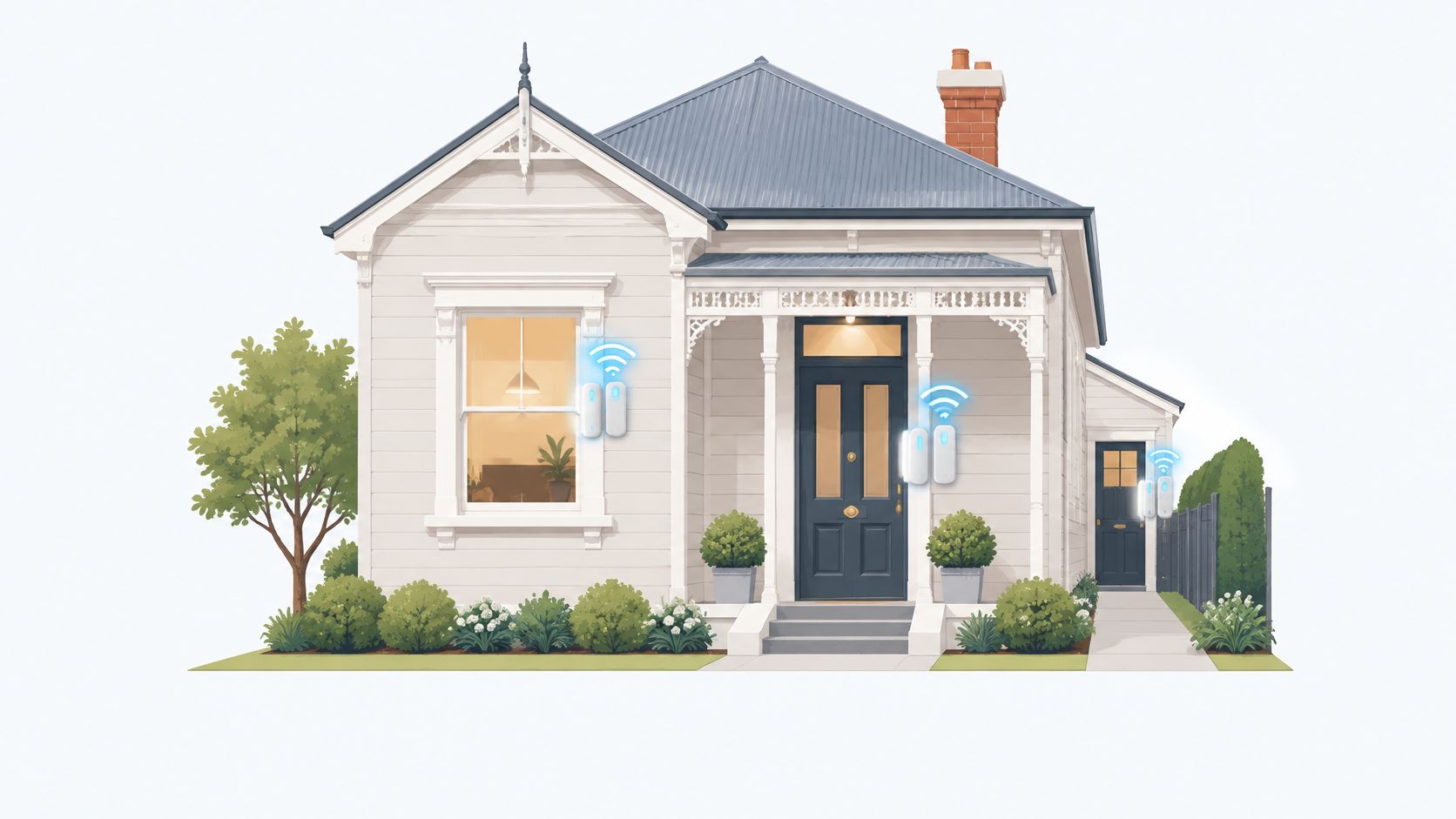
Family home in a Melbourne suburb | Front and back doors, ground-floor windows, side gate | Contacts on every ground-floor opening; motion sensor in the hallway and living area | Two named keyholders with app alerts and monitored response |
Small shop or office | Rear and side doors, stockroom, till area | Contacts on rear and stock doors; motion over the till; separate after-hours zone | Trained keyholder with escalation to the owner |
Rental or shared property | Shared entries and tenant-controlled doors | One zone per tenancy; separate landlord and tenant user codes | Property manager plus monitoring, with notifications agreed in writing |
Holiday or frequently vacant home | Doors and windows that stay closed; entries visible from the street | Perimeter contacts plus interior motion in away mode | Neighbour or manager with a verified response path |
Walk the site, not just the floor plan
On a childcare centre job in Malvern, a concealed side passage made the side gate the easy entry point to overlook. The design put camera coverage on the entries, play areas and perimeter only, with access control on the front and side doors so every entry is logged. The alarm still needed a named person who could check the alert or follow the agreed monitored response.
At a large format retail site in Dandenong, the rear door and the car-park frontage needed different treatment. Cameras across the forecourt and entries record what happens in the car park, while a separate after-hours zone and a response path that escalates from a trained keyholder to the owner make responsibilities clear once staff have left.
Victoria's home-burglary reporting states that 14.1% of home burglaries were failed attempts because the offender found the property locked (Victoria Police response to 2024 crime data). That makes the lock check a sensible first handover item, before arming the panel. The Australian Institute of Criminology also recommends locking doors and windows when premises are unoccupied, paying attention to side and rear access, using physical security such as deadlocks and window bars, and adding movement-triggered exterior lighting after dark (AIC burglary prevention guidance).
For an address-specific view, the Crime Statistics Agency publishes recorded-crime data by local government area. Landlords, shop operators and property managers can use the relevant area data, then match cameras, contacts and zones to the actual frontage, side access, rear entry and loading area (Crime Statistics Agency local data). A related overview of home burglar alarm systems can help frame the broader choices.
Every alarm needs a named response, not just a sounder.
How to Commission a Paradox System to Australian Standards
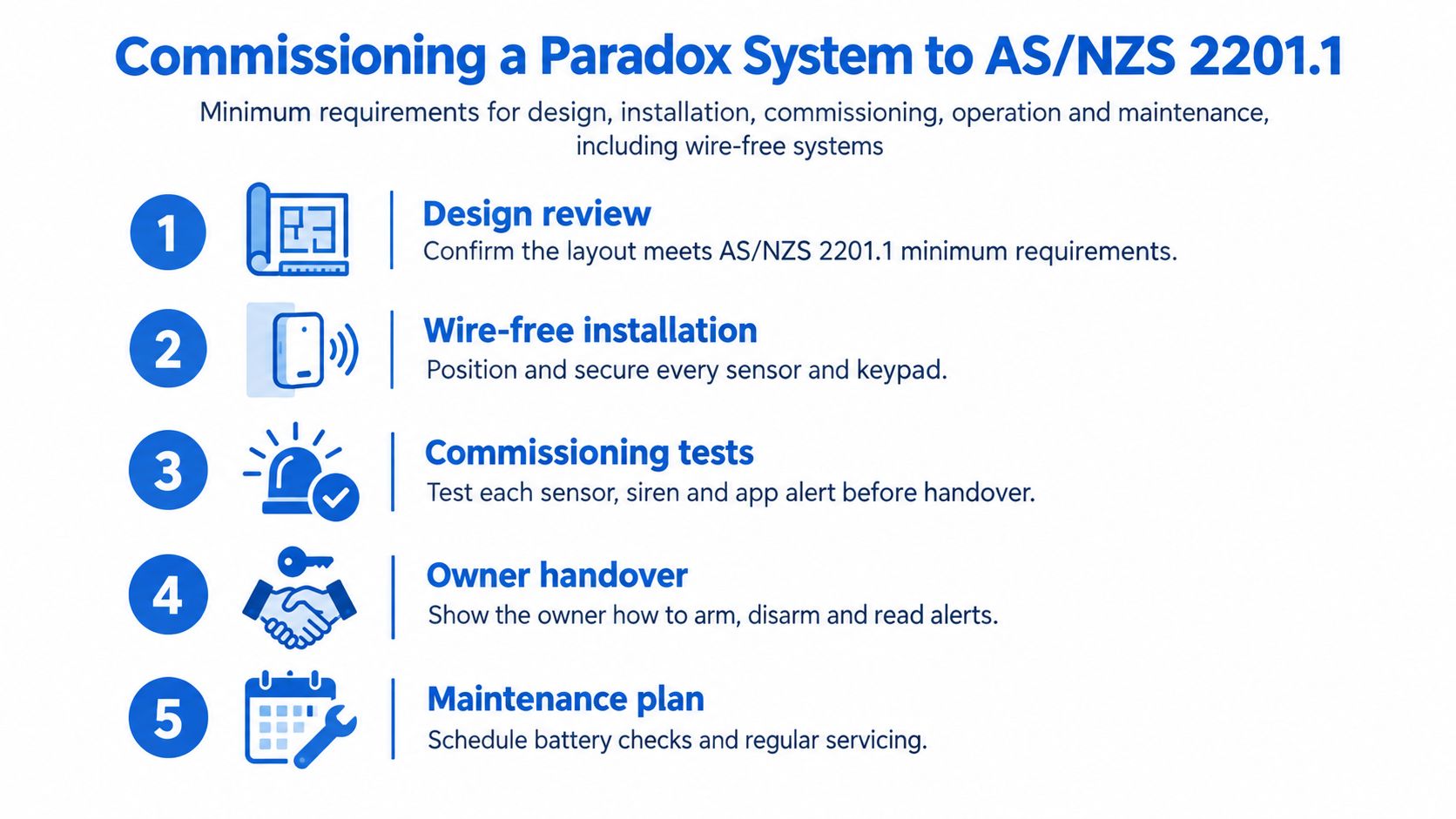
A Paradox panel that powers up cleanly can still leave gaps if the door contacts, arming routine, app users and alarm response are treated as separate jobs. Commissioning is where those parts are checked as one chain. AS/NZS 2201.1 sets minimum requirements for system design, installation, commissioning, operation and maintenance at private and commercial premises, and it explicitly covers wire-free systems (AS/NZS 2201.1 overview). Its risk-based classification affects coverage, tamper supervision, signalling integrity and maintenance, so the paperwork and tests matter as much as the hardware.
Commissioning sequence
Confirm the product variant and band. Check that every wireless device is the Australian-approved variant and uses a suitable band for the site. A datasheet for another region is not evidence.
Write the protection plan. Document sensor locations, panel position, warning devices and signalling paths against the site's risk class. This gives the owner and installer a shared record of what the system is meant to protect.
Mount devices and survey RF communication. After installation, check received-signal margins at the panel. Test the actual installed positions, because walls, metal objects and building materials can change the result.
Walk-test every zone. Trigger each detector and confirm the panel reports the correct zone. Disturb a contact and a cable where applicable to verify tamper and fault conditions are reported accurately.
Test communication-loss reporting. Confirm that a device reporting failure produces the expected warning. If monitoring or app alerts are in use, verify the event reaches the intended destination.
Check higher-risk circuit supervision. For higher-risk sites, confirm supervised multi-state circuits and separate processing of alarm, fault and tamper conditions. A cut, shorted or disconnected circuit should never read as secure.
Record results and arrange maintenance. Keep commissioning records, test outcomes and the agreed maintenance arrangement, including checks for batteries, sensors and connections. The record helps at a later insurance or landlord review.
Handover should leave the owner with more than a working keypad: the tested zones, the intended coverage, the maintenance due and the person who answers an activation. For the wider fitout sequence around cabling, devices and scheduling, see this security systems installation overview.
Securing the App and Keeping Alerts Reliable
A broadband outage, lost phone or former tenant with continued app access can expose a weak point in the alarm routine. The app is a control layer, not the alarm itself. Ask the installer to confirm what still works offline, including local siren behaviour and keypad arming, and what may stop, such as remote arming or push alerts.
Failure | Still works | Stops | Action |
|---|---|---|---|
Broadband outage | Siren and keypad arming, as confirmed with the installer | Remote arming and push alerts | Confirm backup signal path with installer |
Power cut | Panel battery operation, with duration confirmed for the installed system | App control while mains is off, as confirmed with the installer | Test battery status monthly |
Lost phone | Keypad arming and siren | App arming, status and alerts on that phone | Revoke app access and reset the account |
Former tenant or staff member keeps app | Alarm works, but the former user can still arm or disarm | Nothing stops until access is removed | Remove the user on the day they leave |
Keep access and escalation under control
Use a unique user account for each person, strong passwords and multifactor authentication where the platform supports it. Apply app and firmware updates promptly, and test push notifications regularly. The 2025 Digital Lives of Australians report found that only 20% of small businesses had key cyber-security practices and policies in place, while 21% spent nothing on cyber security; it also found that multifactor authentication use among Australians rose from 55% to 73% in a year (2025 Digital Lives of Australians report).
Set a monthly notification test and name a backup contact in case the primary keyholder can't respond. For a retailer or shared property, remove access for former staff, tenants, contractors and property managers on the day their role ends. A professional monitoring arrangement can be part of the escalation plan, but the owner should still know who gets called, in what order, and what happens if nobody answers.
App access is one control layer, not the alarm itself.
Confirm the Paradox Fit Before You Buy
A Paradox panel on the wall is one link in a longer chain. That chain runs from the covered entry points through the sensors and arming habits to the app accounts and, finally, to whoever answers when it goes off. Before committing, make the installer account for every link, the hardware included.
The questions that matter stay practical. Which band and product variant will each device use? Who writes the protection plan, and does it state the site's risk class? Will the handover include commissioning records and walk-test results? Who receives alerts, in what order, and is a monitoring service part of that? What checks cover batteries, sensors and connections over time? And how are app accounts created, reviewed and removed when a user leaves?
PeakFriend Security's assessments are performed by a licensed installer, and each system is custom-designed around the property's operations with transparent pricing, flexible options and no unnecessary equipment or hidden fees. PeakFriend works with Hikvision, Ajax, Dahua, Bosch and Uniview, and doesn't list Paradox among those brands. Anyone set on a Paradox panel should confirm their chosen installer will supply and support it, or compare a supported brand against the same written protection plan.
Book the assessment, request the written plan and check its entry-point coverage against the priorities above.
PeakFriend Security provides property-specific security assessments and written protection plans for homes and small businesses across Greater Melbourne. To review the entry points, alarm response and system options for your property, visit PeakFriend Security.