
Security System Battery Types, Lifespan and Replacement

It's 2am, the wind is hitting the roof, and the streetlights outside a Melbourne home have just gone out. Inside, the keypad glows, fades, then either steadies or dies. That moment rarely comes down to the sensors on the doors. It comes down to a security system battery most owners have never seen, sitting inside a panel cupboard, and whether anyone tested it under load before the storm arrived.
Table of Contents
Why the Battery Decides Whether Your Alarm Still Works
Mains power drops at 2am in, say, Reservoir or Frankston. The house goes dark. From that second, the battery is the system.
The battery provides standby power for the control panel, siren and communications module when mains power fails. It only does that job if it's charged, correctly matched to the charger, and still able to hold capacity under load.
The image below captures the gap owners miss. The device on the wall looks alive, but the rest of the chain may not be.
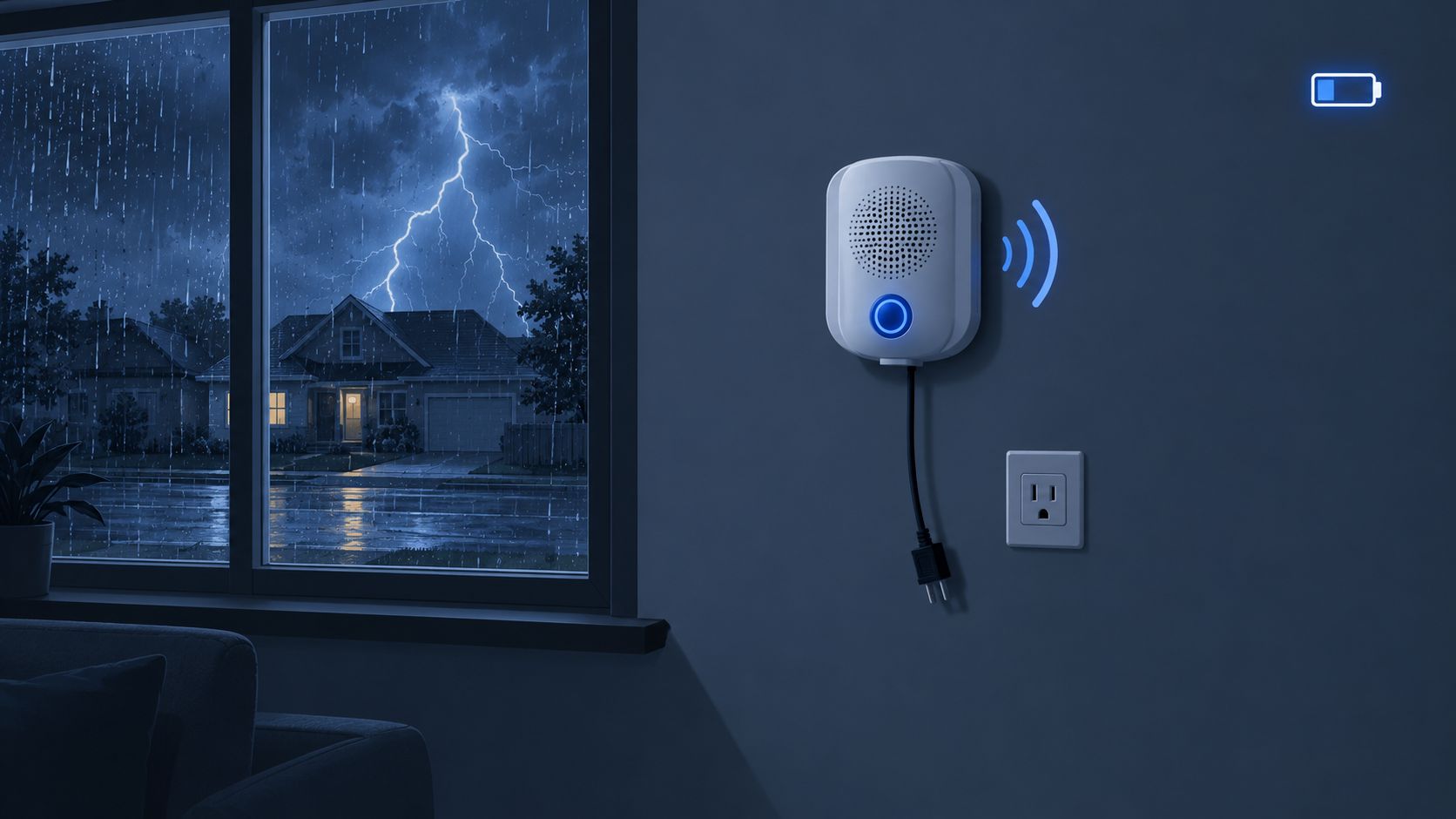
Battery runtime is not end-to-end protection
A panel can run for hours on its battery while internet cameras, the router and app alerts drop within minutes once the modem loses power. It's like a backup generator that runs the fridge but not the air conditioner. The battery covers only what's wired to it. Cellular backup keeps working if the module stays powered, which is why owners checking monitored alarm coverage should ask what stays live during a cut, not just whether the panel beeps.
Practical guidance in the Australian Government lithium-ion battery guide supports buying replacements from the original or a reputable supplier, because incorrectly manufactured, handled, stored or disposed-of lithium-ion batteries can ignite or release toxic gas. The operational test matters just as much. Document the system's tested runtime under its actual load, in standby and in alarm, rather than trusting a label.
A panel that's still lit isn't proof the home is still protected. The siren, the signal path and the alert have to survive the same outage.
Do this today. For the panel, sirens, communications path, cameras, router and app, note whether each keeps working in a mains cut and for how long. Any blank answer is the starting point for a service visit.
Battery Types and Their Expected Lifespans
Most owners don't have one battery. They have several types, ageing at different rates, in different rooms.
Battery type | Where it is used | Typical lifespan | Replace when |
|---|---|---|---|
Sealed lead-acid 12V 7Ah (AGM or gel) | Alarm control panel, siren and backup | 3-5 years | Fails loaded test or panel reports low capacity |
Rechargeable lithium-ion pack | Smart hubs, backup units, some cameras | Often 3-5 years (confirm with manufacturer) | Capacity drops or pack shows swelling or heat |
9V alkaline | Smoke alarms and some wireless keypads | 12 months | Every year, or on a single chirp |
AA alkaline | Motion sensors and door or window contacts | 1-3 years | Sensor LED flashes or app shows low battery |
AA lithium | Sensors in cold or high-use locations | 3-5 years | Sensor drops out or low battery alert appears |
CR2032 coin cell | Remotes, keyfobs and tags | 2-3 years | Remote range shrinks or button press fails |
Sealed lead-acid in the panel
The 12V 7Ah sealed lead-acid battery is the workhorse in traditional panels, including many setups discussed in guides to a Paradox alarm system. Think of it as a small rechargeable tank. The panel charger tops it up constantly, and the battery takes over when mains power stops.
Constant topping up is also what wears it down. Heat accelerates that wear, and capacity falls gradually until the battery can't carry the siren and communicator together. A lifespan of 3 to 5 years is a planning range, not a promise. A panel in a cool linen cupboard in Malvern will usually outlast the same battery in a hot garage in Tarneit.
Lithium-ion packs in hubs and cameras
Rechargeable lithium-ion packs store more energy in less space, which suits smart hubs, touchscreen units and some cameras. They often last 3 to 5 years, but the manufacturer figure for the exact pack matters more than any general range. Swelling, unusual heat or a sudden drop in runtime means the pack shouldn't be coaxed along. It should be replaced with the correct part from a reputable supplier.
Trade-off matters here. Lithium-ion is compact and convenient, but it's less tolerant of damage and poor storage than a sealed panel battery. Cheap, unbranded replacements are a false saving.
Disposable cells in sensors and remotes
Wireless gear runs on cells that nobody recharges. AA alkaline cells in motion sensors and door contacts typically last 1 to 3 years, depending on how often the device transmits and how cold its location gets. A hallway sensor in a busy family home in Berwick will chew through cells faster than one in a rarely used formal lounge.
AA lithium cells handle cold and high-use spots better and often reach 3 to 5 years. They cost more upfront, but they're the smarter pick for a sensor above a front door in a draughty entry or a detached garage. CR2032 coin cells in remotes and tags usually manage 2 to 3 years before range shrinks. 9V alkaline batteries in smoke alarms sit in a different category. Replace removable ones every 12 months, not when someone remembers.
Planning rule: Treat the table as a service calendar. Hot roof spaces, western sun and unventilated cupboards shorten every lifespan listed.
Write the install date on each battery with a marker. Without a date, every service visit starts with guesswork.
Signs Your Security Battery Is Failing
Failures rarely arrive without warning. Panels complain for weeks before they give up, but owners often mute the beep and move on.
Symptom | Likely battery cause | First check |
|---|---|---|
Trouble beep repeats every few minutes | Low battery or charging fault | Read panel battery voltage and charger status |
Panel shows low battery while mains is on | Battery can no longer hold charge | Check battery age and run a loaded test |
Panel reboots or dies during a blackout | Battery collapses under siren load | Log a loaded test during a controlled mains disconnect |
Battery swollen, hot, leaking or dented | Damaged cell or heat exposure | Power down and stop use, then replace |
Wireless sensor drops out or reports late | Dead AA or coin cell | Check sensor LED and device battery in the app |
What each symptom is really saying
A trouble beep that repeats every few minutes commonly points to low battery or a charging fault. Don't just mute it at the keypad and assume the fault cleared. Read the panel status first.
A panel that reboots or dies during a power cut tells a more serious story. The battery may support the panel at rest, then collapse when the siren draws current. That's the classic hidden failure. The system looks armed right up until it needs to make noise and send a signal at the same time.
A swollen, hot or leaking battery isn't a monitoring problem. It's a stop-use condition. Power the affected device down, don't press or puncture the pack, and arrange replacement and safe disposal.
Why voltage alone misleads
A resting voltage reading can look close to normal on a battery with very little usable capacity left. Under alarm load, voltage falls away, and sirens, communications equipment or wireless receivers can shut down.
That's why AS/NZS 2201.1:2007, the Australian intrusion-alarm standard treats the battery as a monitored subsystem, with provisions covering low-battery reporting, automatic battery testing and fault reporting, charger design and rating, and battery capacity. For Melbourne homes, shops and small businesses covered by the standard, the practical service step is clear. A technician should confirm the panel reports low capacity and charging faults, check the replacement matches the panel's charging voltage and current, and document a loaded-battery test during annual servicing.
Test the battery doing its real job, with mains disconnected and the siren load applied. A pretty voltage number at rest proves very little.
Three checks to run now
Read the panel battery status: Check for low battery, charger fault or trouble codes before silencing any beep.
Check the install date: Open the panel only if it's safe and permitted, and look for the date on the battery label.
Listen at the keypad: A repeating trouble tone is information, not just annoyance.
Apply this rule of thumb. The 3-year mark is the conservative end of the 3 to 5 year panel battery range. At 3 years, load-test the battery now and replace it if it fails or if no result is logged. At 5 years, replace it even if it passes, and do that before the next storm season, not after it.
Battery Safety, Storage and Disposal Rules
Temperature decides how long a security system battery lasts, and Melbourne homes offer plenty of bad storage locations.
The illustration below makes a simple point owners overlook. If the enclosure feels hot, the battery inside is ageing faster.
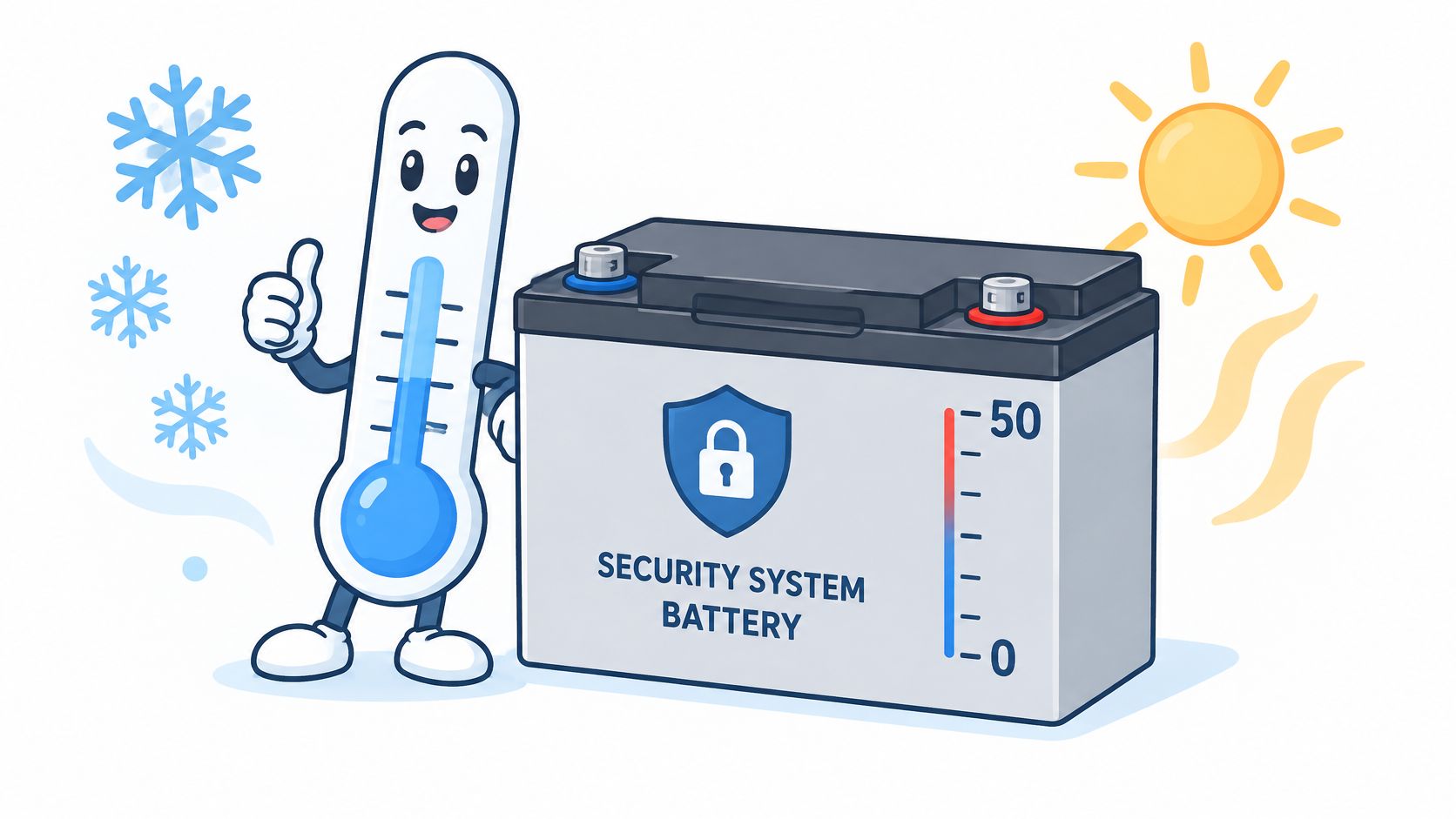
Australian Government guidance in YourHome's battery guide states lithium-ion batteries generally charge from about 0 to 50 °C and discharge from about −20 to 50 °C, with low temperatures reducing capacity and available power and high temperatures shortening service life. Temperature protection can also shut a battery down outside its limits, which is safer than overheating but still leaves an alarm without standby power.
For local installs, avoid unventilated roof cavities, walls copping direct western sun, and spots beside heaters or hot water systems. Inspect enclosures for heat build-up during service, and base replacement on measured capacity, not voltage alone.
Hazards in order of severity
Lithium-ion packs come first. A pack that's swollen, hot, dented or damaged shouldn't be used, charged or put in household rubbish. Damaged or poorly made lithium-ion batteries can ignite or release toxic gas, and heat makes that risk worse.
Sealed lead-acid batteries contain sulphuric acid electrolyte. Wear gloves and eye protection when handling a damaged unit, keep metal tools away from the terminals, and never short the leads. A spanner across both terminals can spark, heat up and damage the panel in seconds.
Disposable cells look harmless and still cause trouble in drawers. Loose coin cells and 9V batteries can short against keys or other batteries. Keep them in original packaging or tape the terminals.
The short video below is worth watching before handling or storing spare packs at home.
Store spares cool, dry and labelled with the purchase or install date. Don't stack them in a hot garage in Sunshine or leave them on a sunny windowsill. For disposal, use a battery drop-off at a major retailer, a council waste facility or an e-waste service. No alarm battery belongs in the household bin.
How to Replace a Panel Battery Safely
Start with the match rule. The replacement must match the panel's voltage and amp-hours, and its charging requirements. Check the old label and the panel manual before buying. A common panel specification is 12V 7Ah sealed lead-acid.
Confirm the charger voltage and current rating in the manual as well. A battery can carry the right 12V 7Ah label and still be wrong if it doesn't suit the panel's charging parameters, terminal type or enclosure space.
The infographic below sets out the sequence in visual form for owners who prefer to check steps as they go.

Replacement sequence
Notify monitoring first: Tell the monitoring company work is starting so a test signal doesn't trigger a false response.
Use maintenance mode: Put the panel into maintenance or test mode following the panel manual.
Disconnect mains: Remove the plugpack or switch off the panel's mains supply before touching battery leads.
Photograph the wiring: Take a clear photo so lead position and orientation can be checked later.
Remove leads in order: Take off the negative black lead first, then the positive red lead, to reduce short-circuit risk.
Inspect the enclosure: Lift out the old battery and check terminals, leads and the cabinet for corrosion, heat marks or swelling damage.
Fit and secure the new battery: Seat it in the same orientation so it can't slide, chafe a lead or press against the panel board.
Reconnect in reverse order: Connect the positive red lead first, then the negative black lead, and confirm each terminal is firm.
Restore power and test: Reconnect mains, confirm the charge indicator and battery status, then run a loaded test under a controlled mains disconnect.
Log and dispose properly: Write the install date on the new battery label, log the test result, and take the old battery to a drop-off or e-waste point.
Common slips that create new faults
Reversed polarity is the expensive one. Red to positive, black to negative, every time, with the photo as backup. Mixing old and new batteries in devices that use more than one cell is another false economy. The weaker cell drags the set down and can leak.
Skipping the monitoring notice causes a different headache. The panel sends a tamper or power fault, the monitoring centre follows its escalation path, and a simple battery swap turns into phone calls and confusion.
Before closing the panel: Tug each lead gently, check no bare terminal can touch metal, and confirm the battery date is written where the next technician will see it.
Cost shouldn't delay a like-for-like swap. In 2025, the CCTV Tradie backup battery listing listed a 12V 7Ah AGM sealed lead-acid battery at AUD $38.33 on sale, down from AUD $60. Prices change, but the comparison is useful. A modest panel battery is cheap next to an alarm that goes dead without warning during a blackout in a shop in Preston or a home in Mornington.
Owners who aren't confident identifying charger ratings, isolating power or testing under load shouldn't improvise. A licensed installer can replace, test and document the battery in one visit, which matters for rental and commercial records.
Year-Round Battery Maintenance Schedule
A schedule only works if each task has an owner. Copy the table into a logbook or property file and tick tasks off by date.
Task | Frequency | Who does it |
|---|---|---|
Check panel battery status and charge indicator | Monthly | Owner or property manager |
Press and hold smoke alarm test button until three beeps | Monthly | Owner or tenant |
Visual check of battery enclosure for heat, swelling or corrosion | Quarterly | Owner or property manager |
Replace removable 9V smoke alarm batteries | Every 12 months | Owner or tenant |
Loaded battery test and sensor battery check | Annually | Installer |
Outage simulation covering alarm, communications, siren, app alerts and restoration | Annually | Installer |
Replace panel battery | Every 3-5 years or after failed test | Installer or owner |
Replace complete smoke alarm unit | Every 10 years | Owner or property manager |
Monthly and quarterly owner checks
Each month, check the panel battery indicator and note any trouble message rather than silencing it blindly. Tenants can handle the smoke alarm test themselves. For Melbourne rental properties, Fire Rescue Victoria's smoke alarm guidance specifies testing every month by pressing and holding the test button until the alarm beeps three times, replacing removable 9-volt batteries every year, and replacing the entire unit every 10 years. A single occasional beep means the battery needs replacement or the alarm may be faulty.
Each quarter, look at the battery enclosure. Heat marks, swelling, white corrosion around terminals or a cabinet that's warm to touch all justify bringing the annual visit forward. Owners planning broader upgrades can align that check with a review of their residential alarm system layout, especially after renovations change room use or add wireless devices.
The timeline below groups those recurring tasks across the year so property managers can see who owns each interval.

Annual installer service
Once a year, the installer should run a loaded battery test, check sensor and coin cell batteries, and record results against each device. That same visit should include an outage simulation. Disconnect mains in a controlled way, trigger the alarm, confirm siren operation, confirm cellular or internet communications, check app alerts, then restore power and confirm the system recovers cleanly.
For landlords in Carlton, Footscray or Dandenong, folding smoke alarm checks into the security service visit keeps records in one place. Tenants still do the monthly test, but the annual paperwork shouldn't rely on memory.
The habit that makes the schedule stick is simple. Put a dated label inside the panel cover showing battery type, install date, last loaded test and next due date. The next person opening that panel, owner, tenant or technician, gets the full story in ten seconds.
Book Your Battery Check Before the Next Outage
A panel battery can hold an alarm up for hours while the router, the internet cameras and the app alerts drop in the first few minutes of a blackout. Panel runtime and full-system protection are two different numbers, so the checklist below finishes with a live test instead of a meter reading.
Work through it this week.
Find every battery: Record type, install date and location for the panel, sensors, remotes, hubs and smoke alarms.
Read the panel status: Check battery and charger messages, then run the monthly smoke alarm test.
Check hot locations: Flag any battery in a roof space, sun-exposed wall or trapped-heat cupboard and plan a move or closer inspection.
Book the annual service: Ask for a loaded test and outage simulation, with the result logged, before the first hot-weather storm of the season.
Location decides where to look first. In Sunshine, Werribee and Tarneit, start with roof-mounted panels and sun-facing cabinets, because afternoon heat sits on the battery enclosure. In older terraces in Fitzroy and Carlton, start with cupboards under stairs and in hallways, which trap heat and can go unopened for years.
PeakFriend Security, based in Malvern, offers a free property-specific assessment delivered within one day. Assessments are performed by a licensed installer, systems are customized to the property layout and required risk coverage, and pricing is transparent with no unnecessary equipment or hidden fees. The annual service tests sensors, batteries and connections, so the battery gets checked on a schedule instead of during a failure.
Book the check now, while it is a planned visit, or let the next outage run the test at 2am. Arrange a free assessment through PeakFriend Security before storm season and ask for the result in writing, because a failing security system battery rarely gives a warning that convenient.